

Just as you wouldn't drive without buckling your seat belt or leave your office door unlocked overnight, you shouldn't browse the internet without multifactor authentication (MFA) in place.
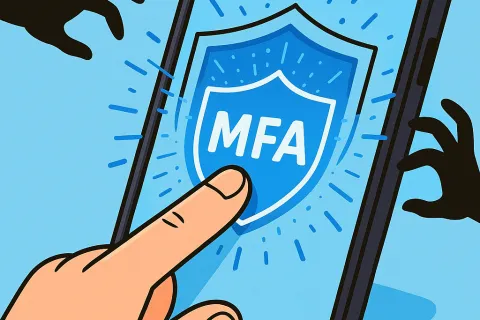
MFA acts like an extra, unbreakable lock on your digital account. Instead of depending solely on a password, which can be compromised through theft, guessing, or phishing, it adds an additional security layer such as a text message code, authentication app approval, or fingerprint verification. Even if someone steals your password, without that second verification step, they can't gain access.
If your password is like locking your front door at night, then MFA is the security alarm system you activate, offering peace of mind even if one protection fails. While it's not mandatory, it's absolutely wise.
MFA adds a simple verification step ensuring that it's really you logging in. Known by names like "two-step verification," "two-factor authentication," or "one-time password," all these terms signify multiple layers of identity confirmation before access is granted to sensitive data.
Common MFA methods include confirmation emails during account setup, security questions from your bank, text codes, push notifications, and phone calls, typically requiring just a quick tap or code entry.
Using MFA is effortless for you just approve a notification or enter a short code and it's a nightmare for hackers. If an unauthorized login attempt happens, MFA alerts you instantly, giving you time to change passwords before any data is stolen. It acts as a powerful barrier preventing stolen passwords from being used to infiltrate your accounts.
Even if an employee is tricked into sharing their credentials, MFA blocks access without that extra authentication step. In fact, Microsoft reports that enabling MFA reduces account breaches by over 99.2%, soaring to 99.99% for accounts with it enabled.
Your most critical accounts to secure with MFA include:
Setting up MFA is typically quick and easy. Most major platforms include built-in MFA options, simply choose the method that suits you best and incorporate it into your routine. Using an authentication app can significantly enhance security across employee accounts.
In summary, adopting MFA is a fast, cost-free strategy to block most hacking attempts. Spending just a few minutes to activate it today can save you from long-term damage control and data loss.
The simplest way to implement MFA is to consult your IT provider. Experienced MSPs streamline the setup, making it hassle-free. If you need expert cybersecurity assistance, click here or call us at (760) 388-2469 to schedule your Discovery Call with our specialist team now.